
LiveWhatsApp lab reports
Send lab reports on WhatsApp
The bill goes out at the counter. Once the pathologist signs, staff send the report in one tap, in your lab’s name, tracked from sent to delivered, and to “read” on Pro. With premium onboarding, it comes from your lab’s own number.
10 days · no card
Updated 26 Sep 2026

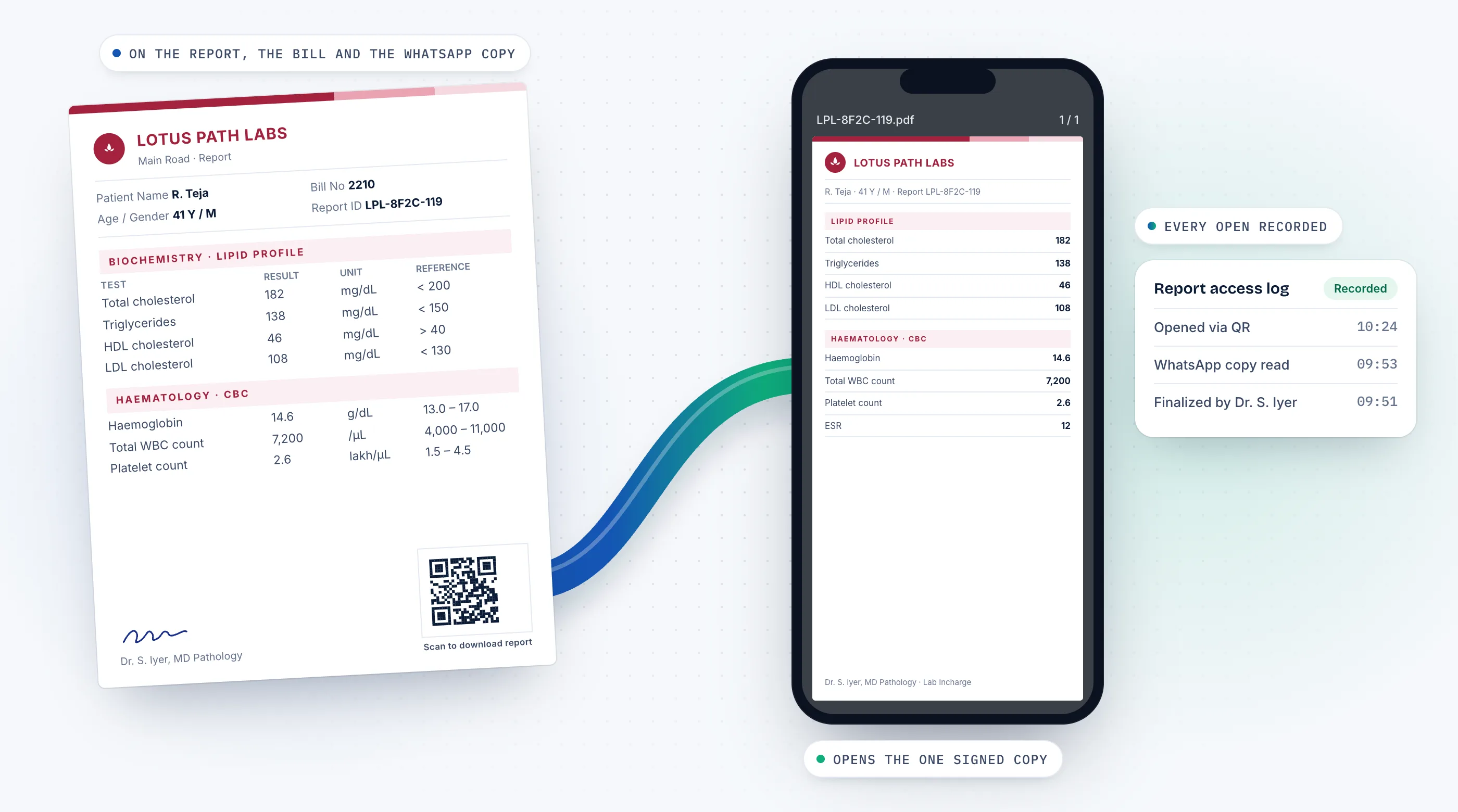
The bill at 09:12, the report at 11:31, and every message tracked. Lotus Path Labs is a fictional lab.
Yes, HealthFlow sends lab reports on WhatsApp. Staff send the bill when it’s generated and the report once it’s signed, each in one tap and each with a button to view and download it. Every message is tracked from sent to delivered, and to read on Pro, and a patient who replies STOP is opted out automatically. With premium onboarding the messages come from your lab’s own WhatsApp Business number; starting yourself, they come from HealthFlow’s delivery number with your lab’s name in every message. WhatsApp only.
- Bill and report. Both go on WhatsApp, each with a View button.
- One tap, once it’s signed. Or the owner switches on automatic sending.
- Tracked. Sent, delivered or failed for every message, and read receipts on Pro and Premium.
- STOP is honoured. Opt-outs happen on their own, and stick.
How WhatsApp delivery works
Staff send each bill and report in one tap, or the owner switches on automatic sending.
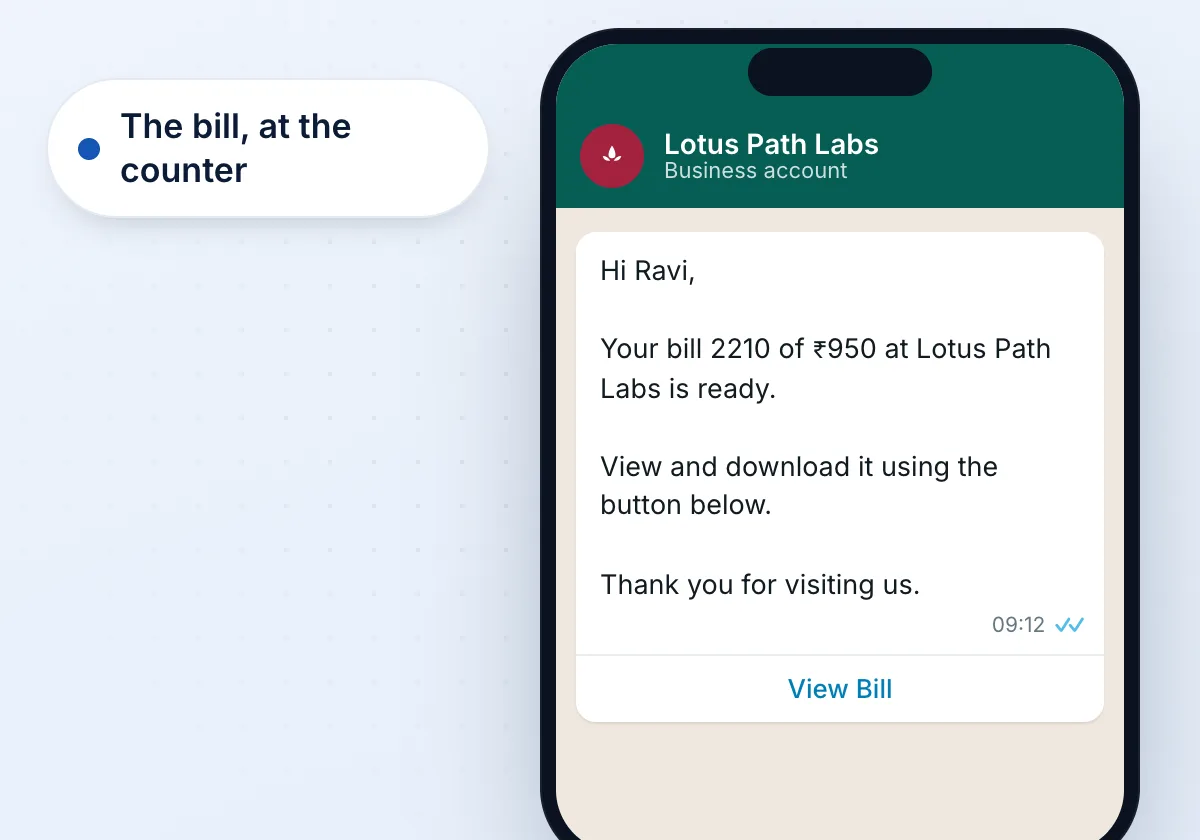
The bill, at the counter
Once the bill is generated, staff send it to the patient’s WhatsApp in one tap, with a button to view and download it.
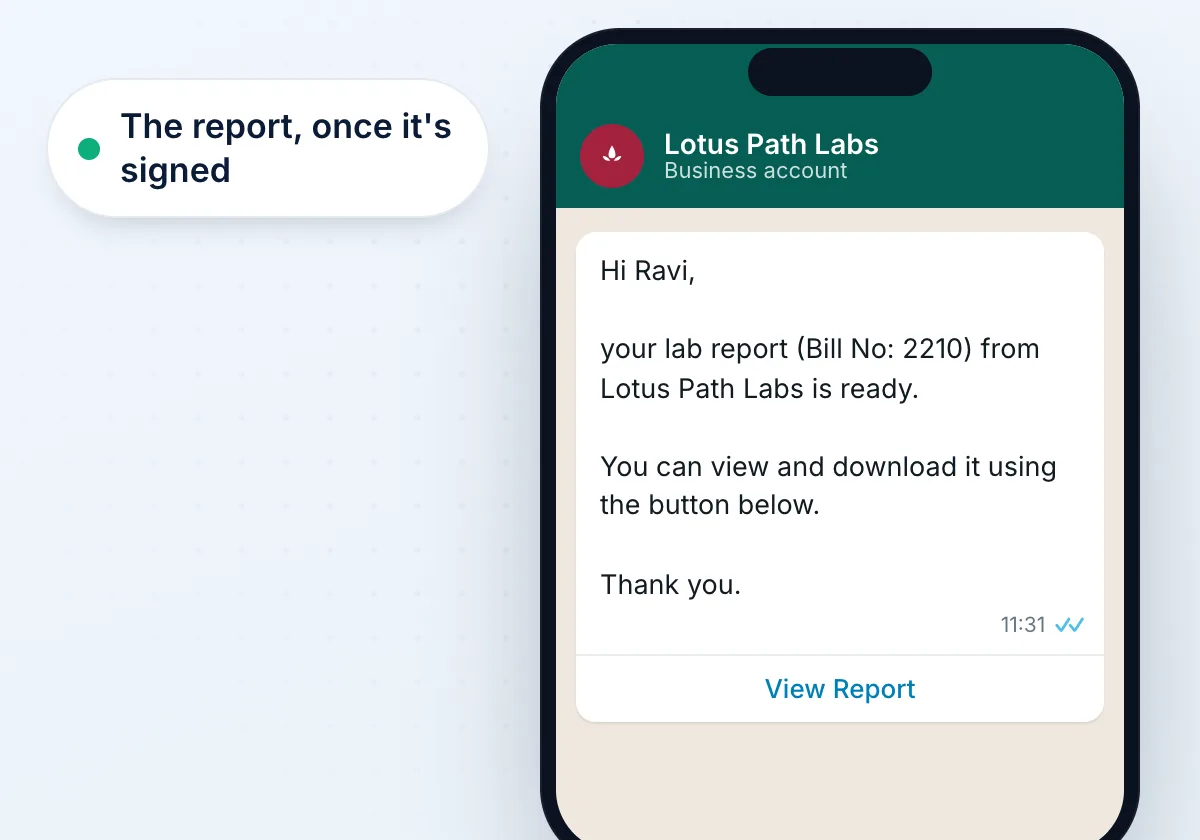
The report, once it’s signed
Once the report is finalized, staff send it in one tap, or it goes by itself if the owner has switched on automatic sending. If only some tests are done, the patient can get an interim report, with the rest to follow.
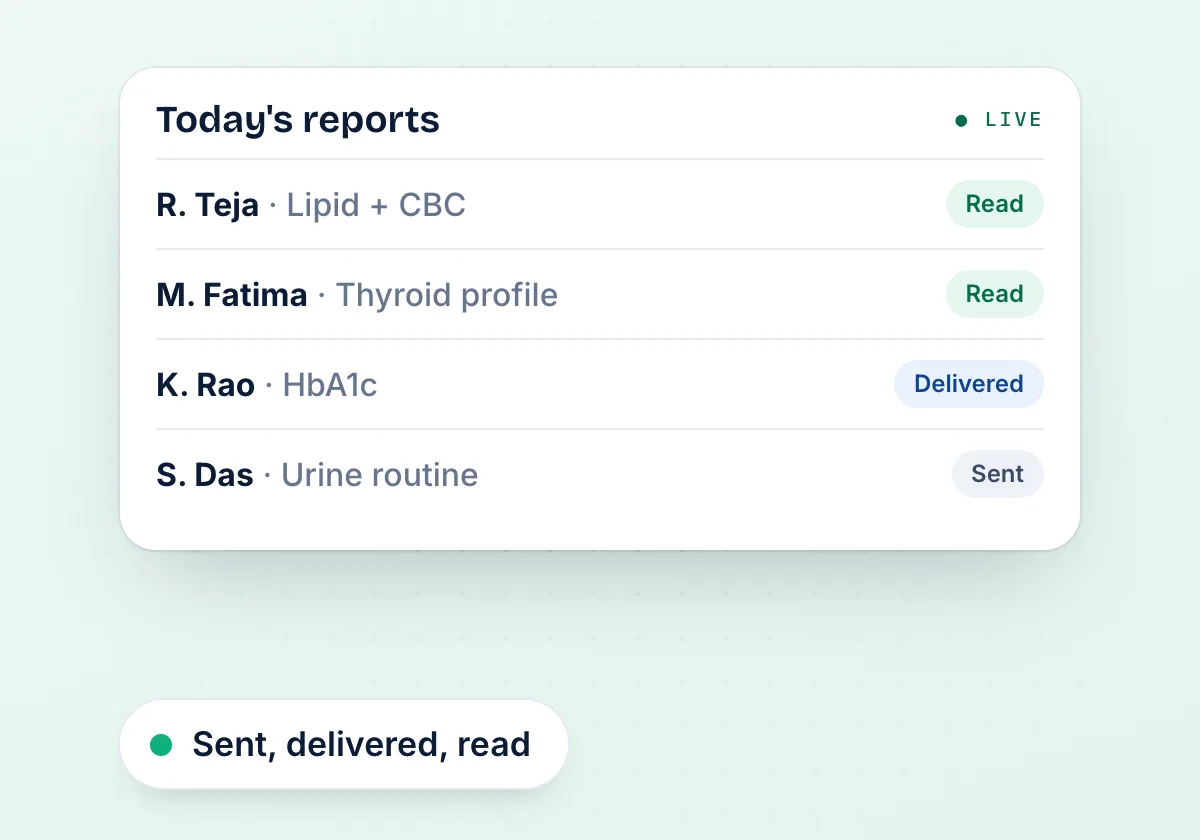
Tracked to “read” on Pro
Every message shows sent, delivered or failed, and read on Pro, so nobody has to ask “did they get it?”.
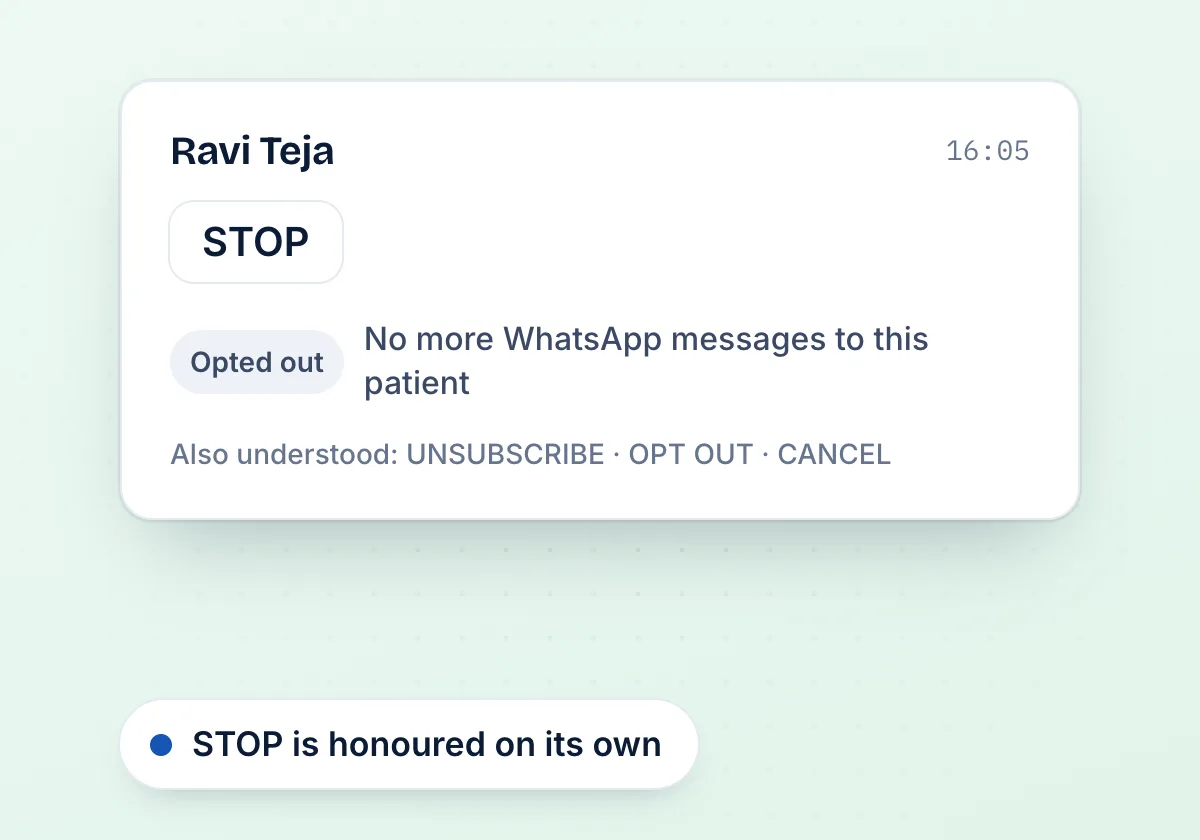
Patients can reply STOP to opt out
A patient who replies STOP, UNSUBSCRIBE or CANCEL is opted out automatically, and stays opted out.
Messages in your lab's name
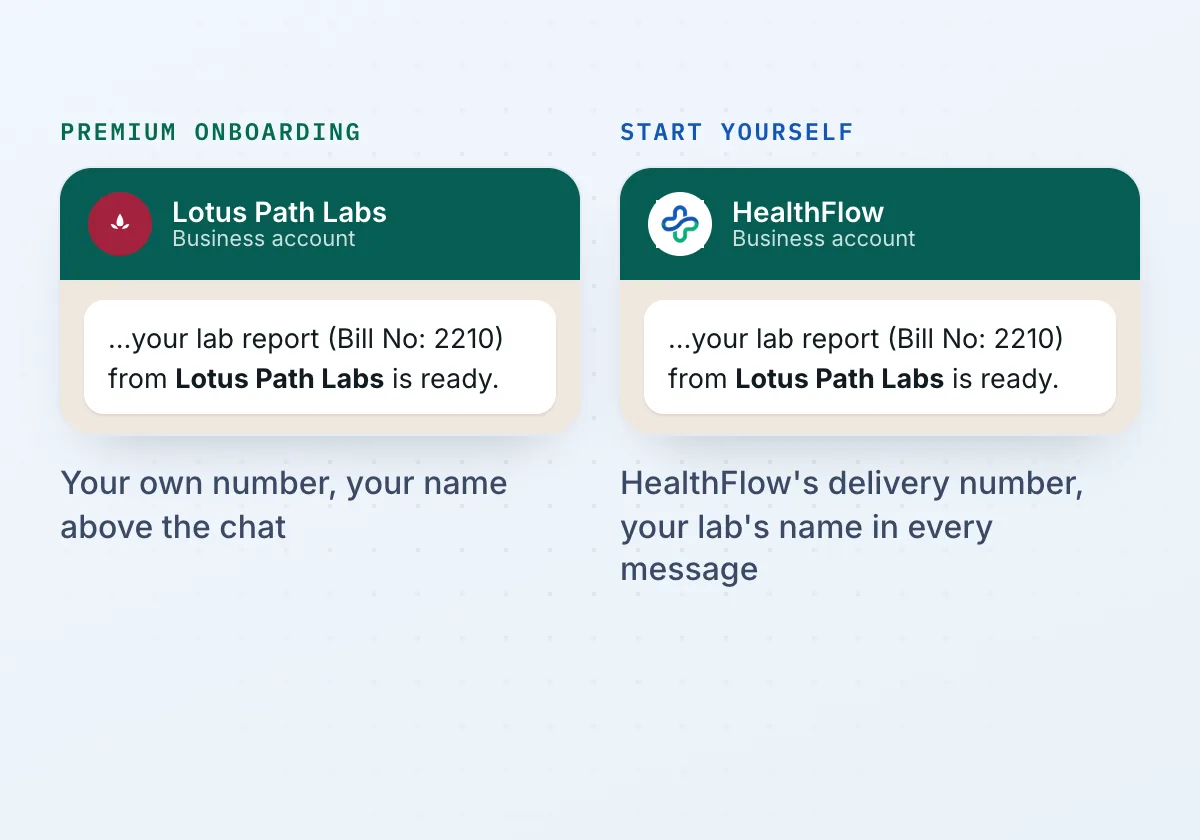
- Premium onboarding: your own number. We set up a dedicated WhatsApp Business number that shows your lab’s name above the chat. Your personal WhatsApp stays untouched.
- Start yourself: our delivery number. Reports go from HealthFlow’s delivery number, and every message names your lab. Bills go on WhatsApp on every plan; reports from Reporting up.
- Not a bulk-sender. These are transactional messages the patient is expecting, each tied to their own bill.
Which WhatsApp messages patients get
Three message types, each a WhatsApp template, each in your lab’s name.
Bills on WhatsApp
Staff send the bill in one tap once it’s generated, with a View Bill button, so the patient leaves the counter with it on their phone.
Reports on WhatsApp
Staff send the finalized report in one tap, or the owner can switch on automatic sending. The message has a View Report button that opens the report on your letterhead.
Interim reports
When some tests take longer, the patient can get the ready results now, with the rest to follow.
Sent, delivered, read on Pro
Every message carries its status, including failures, so the front desk knows who to call.
STOP, honoured
Opt-out keywords are handled automatically and permanently, in line with WhatsApp’s rules.
QR-verified
The report behind the button is the same signed copy the QR opens. Every open is recorded.
Questions about WhatsApp reports
Can I send lab reports to patients on WhatsApp?
Yes. Once a report is signed, staff send it on WhatsApp in one tap, or the owner can switch on automatic sending. The patient gets a button to view and download it, and you can track it from sent to delivered, and to read on Pro and Premium.
Is it my own WhatsApp number for lab reports, or a shared one?
With premium onboarding, it’s your own: we set up a dedicated WhatsApp Business number in your lab’s name. If you start yourself, reports go from HealthFlow’s delivery number, and every message names your lab.
Can WhatsApp go from our lab’s landline number?
Yes, with premium onboarding. A landline usually works well, because it’s rarely on WhatsApp already. Meta checks the number with a voice call, so switch off call forwarding or the IVR while we register it. The landline keeps working for calls, but its WhatsApp then runs through HealthFlow, not the WhatsApp app. A number already on WhatsApp has to be removed from the app first.
How do patients opt out, and do you also use email or SMS?
A patient who replies STOP is opted out automatically and permanently. Delivery is WhatsApp only, the channel patients in India actually open. There’s no email or SMS to manage.
Do patients get the bill on WhatsApp too?
Yes. Once the bill is generated, staff send it in one tap, or it goes by itself if the owner has switched on automatic sending. The patient gets a button to view and download it.
More HealthFlow features
Start today, or let us set it up
Try it free on your own tests, or plan your onboarding with us and see a real report on your letterhead first.
10 days · no card